
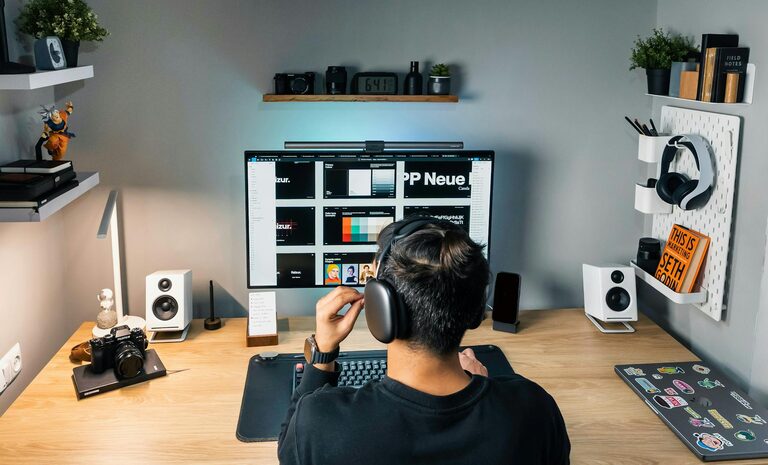
Creating a comfortable and productive home workspace is essential for anyone working remotely or studying from home. A well-designed space helps reduce distractions, improve focus, and maintain a healthy posture throughout the day. Whether you have a dedicated room or a small corner, these tips will guide you in setting up an area that supports your best work.
Choose the Right Location
Find a Quiet Spot
Select a place in your home where noise and interruptions are minimal. If possible, choose a room or area with a door you can close to signal to others when you’re working.
Consider Natural Light
Natural daylight boosts mood and energy. Position your workspace near a window to take advantage of sunlight, but avoid glare on your computer screen by placing your desk perpendicular to the window.
Invest in Ergonomic Furniture
Comfortable Chair
A supportive chair that encourages good posture is a must. Look for adjustable chairs with lumbar support to keep your back comfortable during long hours.
Suitable Desk Height
Choose a desk that allows your arms to rest comfortably while typing, with elbows at about a 90-degree angle. Adjustable desks that can switch between sitting and standing positions are a great option.
Organize Your Workspace Efficiently
Declutter Regularly
Keep only items you need on your desk to minimize distractions. Use drawers and organizers to store supplies and paperwork neatly.
Use Storage Solutions
Shelves, filing cabinets, and desk organizers help keep everything within reach but out of the way. Label storage spaces for easy maintenance.
Manage Lighting Thoughtfully
Task Lighting
In addition to natural light, have a desk lamp with adjustable brightness and position. This helps reduce eye strain during late hours or on cloudy days.
Avoid Screen Glare
Position screens to avoid reflections from lights and windows. Use an anti-glare screen protector if necessary.
Personalize Your Space
Add Plants
Indoor plants improve air quality and create a calming atmosphere. Choose low-maintenance varieties like succulents or snake plants.
Decorate Thoughtfully
Incorporate artwork, motivational quotes, or colors that make you feel energized and focused, but avoid overcrowding your workspace.
Minimize Distractions
Set Boundaries
Communicate your working hours to household members and establish a routine to signal work time. Using noise-canceling headphones can also help block out background noise.
Digital Discipline
Turn off non-essential notifications and use apps that block distracting websites during work hours.
Optimize Technology and Supplies
Reliable Equipment
Ensure your computer, printer, and internet connection are dependable. Invest in quality peripherals such as a mouse, keyboard, or headset for comfort.
Keep Essentials Handy
Stock your workspace with basic supplies like pens, notepads, chargers, and water to reduce unnecessary trips.
Take Regular Breaks and Move
Follow the 20-20-20 Rule
Every 20 minutes, look at something 20 feet away for 20 seconds to reduce eye strain.
Stretch and Move
Stand, stretch, or take a short walk every hour to keep your body relaxed and prevent stiffness.
Establish a Routine
Consistent Schedule
Start and end your workday at regular times. Having a routine helps separate work from personal life, even when working at home.
Designate Break Times
Plan short breaks and lunchtime away from your desk to recharge mentally and physically.
—
By implementing these tips, you can create a home workspace that not only feels comfortable but also enhances your productivity and well-being. Small changes in your environment and habits can make a big difference in how effectively and happily you work from home.